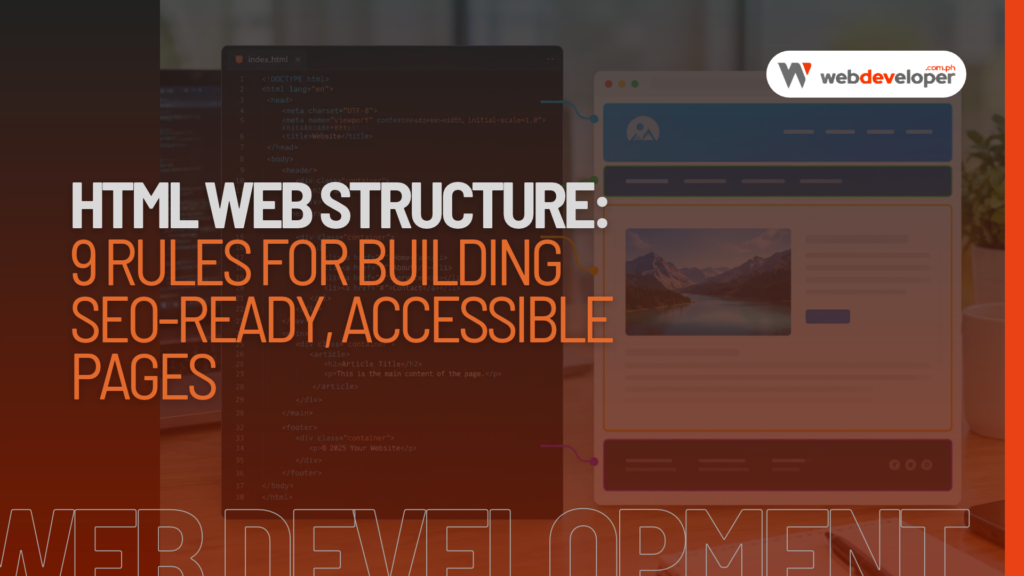
HTML web structure is the hidden framework that decides how well search engines, AI assistants, and real visitors understand your website. Two pages can look identical in a browser, yet one ranks well while the other struggles. Very often, the difference is not the design or the words on the page. It is how the code underneath is organized.
Think of HTML structure like the floor plan of a house. Visitors see the paint and furniture, but the floor plan determines where the doors are, which rooms connect, and how easy it is to find the kitchen. Search engine crawlers and AI tools do not “see” your design the way people do. They read your floor plan.
In this guide, we explain what HTML web structure means, why it matters more than ever in the age of AI search, and the 9 rules our team follows when building websites for Philippine businesses. We include simple code examples, common mistakes, and a quick way to audit your own site, even if you are not a developer.
Quick answer: HTML web structure is how a web page’s code is organized using elements such as
<header>,<nav>,<main>,<article>,<section>,<aside>, and<footer>, plus a logical heading order from one H1 down to H2 and H3. A clean, semantic structure helps Google crawl and rank your pages, helps AI tools quote your content accurately, and makes your site usable for people with screen readers.
Key takeaways:
- Use semantic HTML elements instead of generic
<div>tags wherever a meaningful element exists. - Every page should have exactly one H1, followed by H2 and H3 headings in order.
- Descriptive links, image alt text, real lists, and real tables all carry meaning for search engines.
- WordPress page builders can create messy code, so check your output even if the page looks fine.
What Is HTML Web Structure?
HTML (HyperText Markup Language) is the code that tells a browser what each part of a web page is. A heading, a paragraph, a navigation menu, a product list, a contact form: each one is marked up with an HTML element.
HTML web structure refers to how those elements are arranged and nested. A well-structured page uses the right element for each job and places it in a logical order. A poorly structured page wraps everything in generic containers, skips heading levels, and relies on visual styling alone to show what is important.
There are two layers to think about:
- Document structure: the basic skeleton every page needs, including the
<!DOCTYPE html>declaration, the<html>element with a language attribute, the<head>with metadata, and the<body>with visible content. - Content structure: how the visible content inside the body is organized into landmarks (header, navigation, main content, sidebar, footer), headings, sections, lists, and tables.
Both layers matter. The first helps browsers and crawlers process the page correctly. The second tells them what the page is about and which parts matter most.
Why HTML Web Structure Matters for Your Business
Many business owners assume code quality is only a developer’s concern. In reality, HTML structure affects three things that directly influence leads and sales.
1. Search Engine Rankings
Google uses crawlers that read your HTML to understand your content. Clear headings show the topic and subtopics of each page. Semantic elements separate your main content from menus, sidebars, and footers, so Google can focus on what matters. Descriptive links and image alt text add context. A clean structure does not guarantee top rankings on its own, but a messy one makes it harder for even great content to perform. For a broader view, read our guide to SEO-friendly web design.
2. AI Search and Generative Engines
Tools such as Google AI Overviews, ChatGPT search, Perplexity, and Claude summarize web pages to answer questions. These systems work best when content is broken into clear, well-labeled sections. A page with a direct answer under a question-style heading, a real HTML list of steps, or a proper table of prices is much easier to quote accurately than a wall of text inside nested <div> tags. Good HTML web structure is quickly becoming a foundation of generative engine optimization (GEO).
3. Accessibility and User Experience
Screen readers used by visually impaired visitors rely on HTML structure to navigate. Users can jump between headings or skip straight to the main content, but only if the page is marked up correctly. Accessible websites also tend to be easier for everyone to use, which keeps visitors on your site longer. For government offices, schools, and healthcare providers in the Philippines, accessibility is also a matter of public service.
9 Rules for a Clean HTML Web Structure
These are the rules our web developers in the Philippines apply on every project, from simple business websites to large e-commerce stores.
Rule 1: Start With a Proper Document Skeleton
Every page should begin with the same reliable foundation. Here is a minimal example:
<!DOCTYPE html>
<html lang="en">
<head>
  <meta charset="UTF-8">
  <meta name="viewport" content="width=device-width, initial-scale=1">
  <title>Aircon Cleaning in Imus, Cavite | CoolPro Services</title>
  <meta name="description" content="Professional aircon cleaning in Imus, Cavite. Same-day service, trained technicians, and fair prices.">
  <link rel="canonical" href="https://example.com/aircon-cleaning-imus/">
</head>
<body>
  <!-- visible content goes here -->
</body>
</html>
The lang attribute tells browsers and search engines the page language. For pages in Filipino, use lang="fil". The viewport tag makes the page display correctly on phones, which is essential since most Filipino users browse on mobile.
Rule 2: Use Semantic Landmark Elements
Semantic elements describe their purpose. Instead of building the whole page from <div> tags, use landmarks:
<body>
  <header>
    <a href="/"><img src="logo.svg" alt="CoolPro Services"></a>
    <nav aria-label="Main menu">
      <ul>
        <li><a href="/services/">Services</a></li>
        <li><a href="/pricing/">Pricing</a></li>
        <li><a href="/contact/">Contact</a></li>
      </ul>
    </nav>
  </header>

  <main>
    <article>
      <h1>Aircon Cleaning in Imus, Cavite</h1>
      <section>
        <h2>What Our Cleaning Includes</h2>
        <p>...</p>
      </section>
    </article>
    <aside>
      <h2>Book a Free Inspection</h2>
    </aside>
  </main>

  <footer>
    <address>Imus, Cavite · 0917 000 0000</address>
  </footer>
</body>
Here is what each landmark means:
<header>: introductory content such as the logo and main menu.<nav>: a block of major navigation links.<main>: the primary content of the page. Use it only once per page.<article>: a self-contained piece of content, such as a blog post, product, or news item.<section>: a themed group of content, usually with its own heading.<aside>: related but secondary content, such as a sidebar or call-to-action box.<footer>: closing information such as contact details, copyright, and secondary links.
Rule 3: Keep One H1 and a Logical Heading Order
Headings create the outline of your page. Use one <h1> that states the page’s main topic, then <h2> for major sections and <h3> for subsections. Do not skip levels, such as jumping from H2 to H4, and do not choose a heading level just because of its font size. Change the size with CSS instead.
A good heading outline reads like a table of contents. If someone saw only your headings, they should understand what the page covers. This is exactly how many AI tools and screen readers scan a page.
Rule 4: Group Related Content Into Sections
Long pages should be divided into clear sections, each with its own heading. This helps readers skim and helps search engines match specific sections to specific questions. Google can show a passage from deep in a long page if that passage clearly answers a search, and a well-sectioned page makes those passages easy to find.
Rule 5: Write Descriptive Links
Link text tells users and search engines what to expect on the other side. Avoid vague phrases like “click here” or “read more.”
<!-- Weak -->
<a href="/pricing/">Click here</a>

<!-- Strong -->
<a href="/pricing/">See our aircon cleaning prices</a>
Use real <a> elements with an href for navigation, and <button> elements for actions such as opening a menu or submitting a form. Clickable <div> or <span> elements look the same but cannot be reached with a keyboard or followed by crawlers.
Rule 6: Give Every Meaningful Image Alt Text
The alt attribute describes an image for people who cannot see it and for search engines. Describe what the image shows and why it is there, in a short sentence. Purely decorative images should use an empty alt="" so screen readers skip them.
<img src="technician-cleaning-aircon.webp"
     alt="Technician cleaning a split-type aircon unit in Imus"
     width="800" height="533" loading="lazy">
Adding width and height prevents layout shifts while the page loads, which supports better Core Web Vitals scores.
Rule 7: Use Real Lists and Tables
When content is a list, mark it up as a list with <ul> (unordered) or <ol> (numbered steps). When content compares values across rows and columns, such as prices or schedules, use a real <table> with <th> header cells. Never fake a table with images or spaced-out text. Lists and tables are among the easiest content types for Google’s featured snippets and AI answers to extract.
Rule 8: Build Accessible Forms
Contact and booking forms are where leads happen, so they deserve careful markup. Every input needs a visible <label> connected to it, and the right input type triggers the correct keyboard on phones.
<form action="/inquiry/" method="post">
  <label for="name">Full name</label>
  <input id="name" name="name" type="text" autocomplete="name" required>

  <label for="phone">Mobile number</label>
  <input id="phone" name="phone" type="tel" autocomplete="tel" required>

  <button type="submit">Send inquiry</button>
</form>
Using type="tel" opens the number pad on mobile, which makes forms faster to complete and can reduce drop-offs.
Rule 9: Complete the Head Metadata
The <head> section is invisible to visitors but vital for search and sharing. Each page should have a unique <title>, a unique meta description, a canonical link, Open Graph tags for Facebook and Messenger previews, and structured data in JSON-LD format. Structured data, also called schema markup, describes your business, articles, products, and FAQs in a format search engines read directly. Our technical SEO checklist covers these settings in more detail.
HTML Web Structure Tips for WordPress Websites
Most Philippine business websites run on WordPress, which handles much of the structure for you, but not all of it. Keep these points in mind:
- Choose a well-coded theme. Lightweight themes such as GeneratePress, Astra, Kadence, or a block theme usually produce cleaner HTML than heavy multipurpose themes.
- Use the block editor’s heading levels correctly. Pick H2 or H3 based on the outline, not on how big you want the text.
- Watch your page builder output. Some builders wrap each element in many nested
<div>layers. Most let you change a container’s HTML tag to<section>,<header>, or<footer>, so use that option. - Do not add a second H1. Many themes already output the post title as the H1, so start your content with H2.
- Let an SEO plugin handle the head. Rank Math or Yoast can manage titles, meta descriptions, canonicals, Open Graph tags, and basic schema.
Semantic HTML vs. Div-Based Layouts at a Glance
Both approaches can produce a page that looks the same in a browser. The difference shows up in how machines and assistive tools read it, and in how easy the site is to maintain.
| What matters | Semantic HTML structure | Div-only structure |
|---|---|---|
| How search engines read it | Main content, menus, and footer are clearly separated | Everything looks like the same generic content |
| AI answers and snippets | Headings, lists, and tables are easy to extract and quote | Answers are buried and harder to quote accurately |
| Screen reader navigation | Users can jump to landmarks and headings | Users must listen through the whole page |
| Code size and speed | Usually leaner, with fewer wrapper elements | Often bloated with nested containers |
| Future edits | Easier for any developer to understand | Harder to maintain and redesign |
In short, semantic markup costs nothing extra to write when a site is built correctly from the start, but it pays off for years. Fixing a div-heavy site later is possible, yet it usually takes more time than doing it right the first time. That is why structure should be part of every website brief, not an afterthought once the design is approved.
Common HTML Structure Mistakes We See on Philippine Websites
When we audit websites for new clients, the same problems appear again and again:
- Multiple H1 tags on one page, often because the logo, a slider caption, and the page title are all set as H1.
- Headings used for styling, such as a bold H4 for a phone number in the header.
- “Div soup”: pages built almost entirely from nested
<div>tags with no semantic landmarks. - Text inside images, such as prices or promos uploaded as graphics, which search engines and AI tools cannot read reliably.
- Missing or keyword-stuffed alt text on product and portfolio images.
- Missing language attribute, or an English attribute on Filipino-language pages.
- Forms without labels, using placeholder text only, which disappears when users start typing.
- Hidden or duplicated content created by sliders, tabs, and separate mobile and desktop versions of the same section.
Each of these is fixable, and fixing them often improves both rankings and conversions without changing how the page looks.
How to Audit Your Website’s HTML Web Structure
You do not need to be a developer to run a basic check. Try these free methods:
- View the heading outline. Install a free browser extension such as HeadingsMap or the Web Developer extension and open any page. You will see all headings in order. Check that there is one H1 and that the outline makes sense.
- Run Lighthouse. In Google Chrome, right-click a page, choose Inspect, open the Lighthouse tab, and run the Accessibility and SEO reports. It flags missing alt text, unlabeled form fields, and heading problems.
- Validate your code. Paste your URL into the W3C Markup Validation Service to catch broken or invalid HTML.
- Test your schema. Use Google’s Rich Results Test to confirm your structured data is readable and free of errors.
- Check Google Search Console. Review the Page Indexing and Core Web Vitals reports for pages Google struggles with.
- Try the keyboard test. Press Tab repeatedly on your homepage. You should be able to reach every link, button, and form field in a sensible order.
If the results look overwhelming, start with your most important pages: the homepage, main service pages, and contact page.
Frequently Asked Questions About HTML Web Structure
What is HTML web structure in simple terms? It is the way a page’s code is organized into meaningful parts, such as header, navigation, main content, sections, and footer, with headings arranged from H1 down to H2 and H3.
Does HTML structure affect SEO? Yes. Clean, semantic HTML helps search engines crawl your pages, understand the main topic, and identify which sections answer which questions. It works alongside content quality, links, and page speed.
How many H1 tags should a page have? Use one H1 per page that describes its main topic. HTML technically allows more, but a single H1 keeps the outline clear for users, screen readers, and search engines.
What is the difference between a div and semantic HTML? A <div> is a generic container with no meaning. Semantic elements such as <nav>, <main>, and <article> describe their purpose, so browsers, assistive technology, and search engines understand them.
Can I fix HTML structure on a WordPress site without coding? Partly. You can correct heading levels, alt text, and link text in the editor, and many page builders let you change container tags. Theme-level problems usually need a developer.
Build Your Website on a Strong Foundation
HTML web structure is not the most visible part of a website, but it supports everything else: your rankings, your visibility in AI answers, your accessibility, and your conversions. Start with a proper document skeleton, use semantic landmarks, keep one H1 and a logical heading order, and mark up links, images, lists, tables, and forms correctly. Then audit your pages regularly.
At Web Developer Philippines, every website we build follows these rules from day one. If you want a site that looks great and is built correctly underneath, explore our web development services or contact us for a free website structure review.